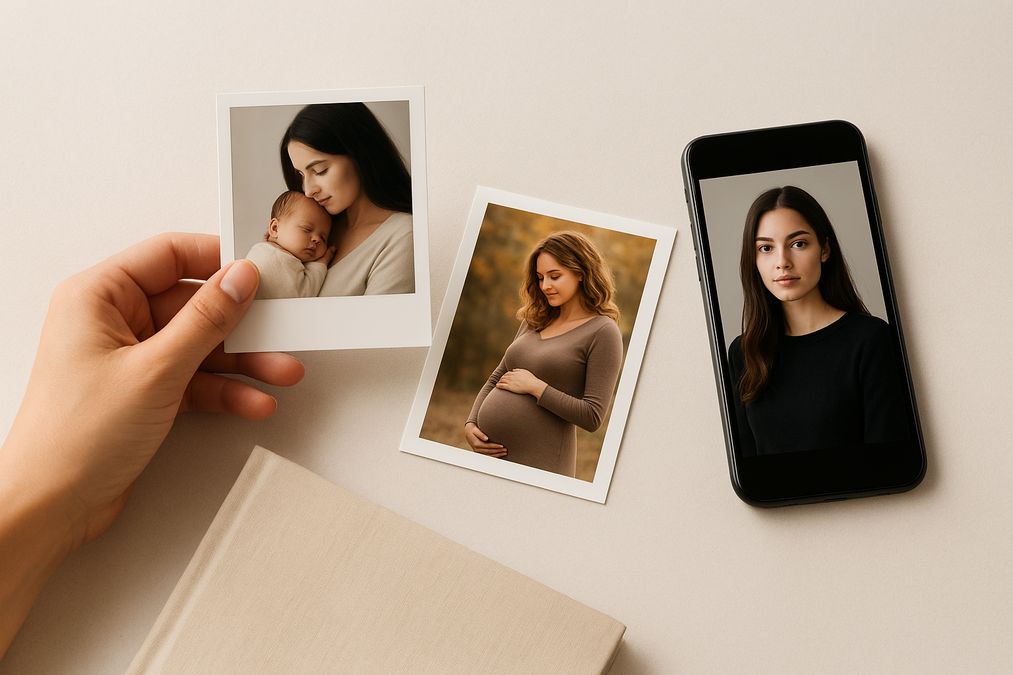

Looking for a clear, Toronto-friendly answer on the best way to pass down family photos to your kids in 2026? You are not alone. Families across the Greater Toronto Area want a dependable, heartfelt system that keeps memories safe for decades while fitting busy city life. Whether you treasure Maternity Photography, Newborn Photography, Portrait Photography, or family documentary sessions, the format you choose matters as much as the photos themselves. In this comprehensive guide, we compare heirloom photo albums and USB drives from a practical, emotional, and technical perspective so you can build a legacy your children will actually hold, love, and pass on.
best heirloom photo albums vs USB drives to pass down to kids in the Greater Toronto Area
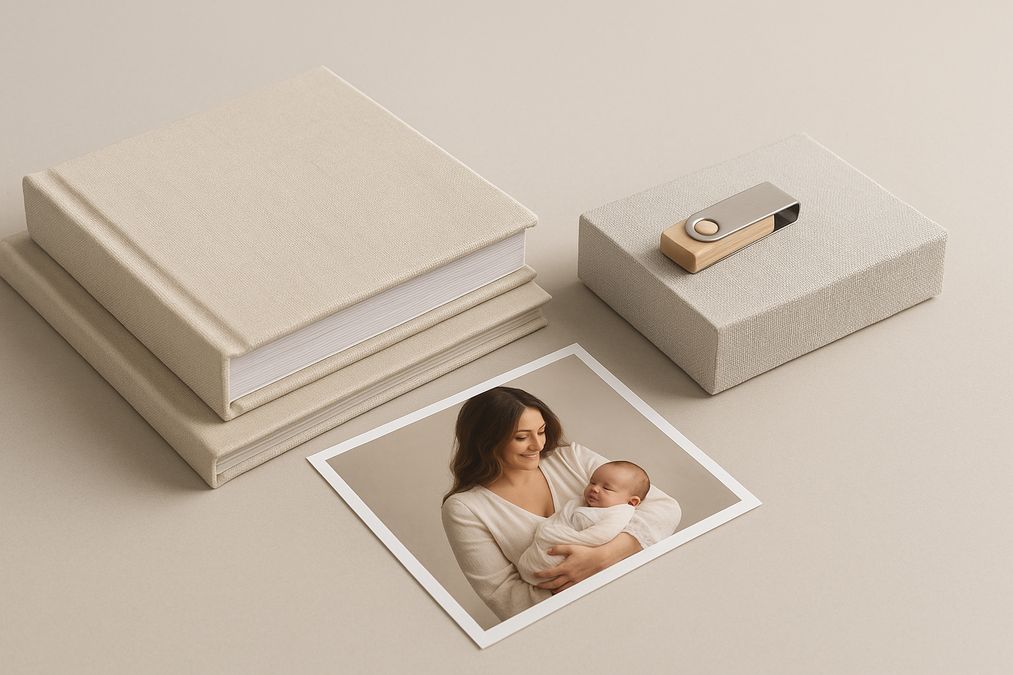
Let’s set the stage. Heirloom albums are designed for tangible, curated storytelling. USB drives hold a large number of digital files that are easy to copy and share. Both formats are useful, but they do very different jobs. In Toronto, families face unique considerations: condo storage space, changing weather and humidity, tech upgrades, and a strong culture of gift-giving and milestone celebrations. By the end of this guide, you will have a balanced plan for preserving your photo legacy in a way your children will thank you for years from now.
What parents in the GTA really want to pass down
When families in Toronto talk about memory-keeping, they often want three things:
- Something kids can emotionally connect with today and decades from now
- A system that lasts beyond the current tech trend
- A practical, low-maintenance way to back up and organize their images
That is why this decision is not just about format. It is about longevity, accessibility, and meaning. You are building a story the next generation can hold in their hands or pull up easily when they need comfort, inspiration, or a reminder of where they came from.
Why heirloom photo albums continue to matter in 2026
Heirloom albums are crafted to be displayed, handled, and loved. Modern bookbinding and archival inks mean the colors stay rich, the paper remains crisp, and the construction holds up to years of page-turning. In a world where screens are everywhere, an album offers a calm, screen-free way to experience your family story together on the couch, at holiday gatherings, or during bedtime storytelling with your little ones.
Advantages of heirloom albums
- Tangible connection: Albums invite touch, reflection, and conversation. Children do not need passwords or apps to engage with them.
- Curated storytelling: A book forces you to select the best 40–100 images and design a narrative. This curation becomes the heartbeat of your family history.
- Archival quality: Properly made albums can last generations when cared for correctly. They are not dependent on operating systems or power sources.
- Display-ready: An album on a shelf or coffee table is a daily nudge to relive memories, unlike folders lost on a computer.
- Perfect for milestones: Maternity, newborn, first birthdays, school portraits, graduations, and annual family sessions turn into chapters of a visual biography.
Potential drawbacks of albums
- Initial cost: High-quality albums cost more upfront due to archival materials and craftsmanship.
- Physical storage: Albums need dry, cool storage away from UV light. Toronto’s humidity and winter dryness require a bit of care.
- Finite capacity: You will still need a digital archive for all the outtakes and extras you do not print.
The case for USB drives and digital files
USB drives are compact, familiar, and easy to duplicate. They are often included with photography packages, and they make it simple to share photos with relatives or back them up in multiple places.
Advantages of USB drives
- High capacity, small size: Thousands of images fit on one tiny device.
- Easy duplication: You can create copies for grandparents, siblings, or a safety deposit box.
- Flexible output: Files can be reprinted in the future, uploaded to cloud services, or turned into slideshows and digital frames.
- Cost-effective: Compared to an heirloom album, a branded USB is typically more affordable.
Potential drawbacks of USB drives
- Tech dependence: Ports and formats change. Many new laptops ship without traditional USB-A ports. Adapters help, but tech drift continues.
- Failure risk: USBs can get corrupted or lost. They are not a single, permanent archive.
- Out-of-sight problem: Files stored in a drawer or a closet are easy to forget, and uncurated folders can be overwhelming for kids later.
Longevity: what really lasts in Toronto homes
When it comes to what your kids will actually inherit, permanence is key. Archival albums can endure for generations under correct storage. Digital files on a USB, meanwhile, have an uncertain life unless proactively migrated to new formats over time.
Practical longevity tips
- Albums: Choose acid-free, lignin-free papers and pigment-based inks. Store albums vertically on a shelf in a temperate room, not a basement or attic.
- USB drives: Maintain multiple copies. Refresh the drive every 3–5 years. Migrate files to new storage as tech evolves. Keep at least one off-site backup.
- File formats: Request or create high-resolution JPEGs and, if available, TIFFs for archival use. Keep an organized folder structure with consistent file names and dates.
Everyday usability for busy GTA families
Between school drop-offs, TTC rides, hockey practice, ballet, and weekend trips to the cottage, Toronto families need memory-keeping that fits real life. Albums shine for immediate enjoyment, while digital copies are unbeatable for sharing and safeguarding.
- For cozy family time: An album is unbeatable. It gets used more often because it is effortless.
- For sharing with faraway relatives: Digital files travel fast and can be viewed on any screen.
- For emergencies: Digital backups offer resilience if you ever need to replace a damaged print.
Costs, value, and the long game
Comparing prices in isolation misses the bigger picture. An heirloom album is a crafted object designed to be a family heirloom; a USB is a storage device. Each serves a different purpose within the same legacy plan.
Typical investment ranges in 2026
- Heirloom album: Pricing varies based on size, page count, cover materials, embossing, and paper quality. Expect a premium for custom design and archival build.
- USB drive with edited images: Usually included in packages or available as an add-on at a lower cost than albums.
- Design and curation: The value comes from storytelling and layout. A well-designed book pays emotional dividends every time it is opened.
When families measure what their children will cherish in 20–40 years, albums consistently deliver sentimental return on investment. Digital files are still essential for safe-keeping and flexibility. Together, they cover both meaning and mechanics.
A hybrid strategy that actually works
For most Toronto families in 2026, the smartest approach is not albums or USB; it is albums and digital, used intentionally. Here is a simple plan:
- Create one heirloom album for each major milestone: maternity, newborn, first year, school years, graduation, and periodic family portraits.
- Pair every album with a digital archive: store the high-res images on a USB, on your home computer, and in at least one reputable cloud backup.
- Migrate annually: At the end of each year, update your backups and check that your USB still works. Replace it every few years if needed.
- Print highlights yearly: Choose the best 30–60 images into a compact annual album. Over a decade, you will build a library your kids can grow up with.
What matters most to kids: the psychology of keepsakes
Children bond with objects they can touch and revisit. A well-made album becomes the stage where family stories are retold: the day they were born, the first day of school, that windy afternoon at Scarborough Bluffs, cherry blossoms in High Park, or a cozy newborn session at a Richmond Hill studio. A USB can support that story, but it does not tell it by itself. Your curation, captions, and the act of turning pages with your child shape how they remember their childhood.
How this plays out for different photography genres
Maternity Photography
Pregnancy is loaded with feeling and anticipation. An album allows you to weave studio portraits, lifestyle images, and little details into a poetic sequence. The USB serves as a comprehensive backup and a resource for future prints or wall art.
Newborn Photography
Newborn images change meaning over time. In year one, they are adorable. In year ten, they are profound. A newborn heirloom album with high-quality paper and layflat spreads makes a powerful gift to your child on a milestone birthday. Keep the full gallery on USB for safe-keeping and future design projects.
Portrait Photography
Whether it is a family portrait session at the Toronto Islands or classic studio headshots, print your hardest-hitting images in a slim album or folio box. Back everything up digitally so you can refresh prints, create graduation announcements, or design a wall collage later.
Handling Toronto’s climate: storage and care
The GTA experiences humidity in summer and dry heat in winter. Albums and USBs both benefit from stable storage.
Album care tips
- Store upright on a shelf in a climate-controlled room.
- Avoid direct sunlight; UV fades colors over many years.
- Handle with clean, dry hands. Consider cotton gloves for archival caution.
- Use album boxes or slipcases for added protection.
USB and digital care tips
- Keep one copy at home, one at a trusted relative’s home, and one in a reputable cloud.
- Test the USB once or twice a year and replace it every few years.
- Label clearly with year and event; maintain a simple folder structure.
Designing an heirloom album your children will love
Great albums are built, not assembled. A little planning goes a long way.
- Keep it timeless: Neutral cover fabrics, classic typography, and clean layouts outlast fads.
- Tell a story: Group images into sections and add short captions or dates.
- Less is more: Curate thoughtfully. A focused 40–60 image book makes a stronger impact than a 200-image catalog.
- Use layflat spreads: Perfect for big, cinematic images of the family at the lake or a newborn portrait that deserves a full spread.
- Include milestones: Baby footprints, hospital bracelets, or a written note to your child add meaning.
Digital files: set them up for future-proof access
Even if you love prints, digital resilience is non-negotiable. Keep your files portable and well-documented.
- Stick to standard formats: High-res JPEGs are widely supported; add TIFFs if available.
- Name smartly: YYYY-MM-DD_event_description helps your future self find images fast.
- Use redundant backups: Two local copies (computer and USB) plus one cloud backup is a solid baseline.
- Review yearly: Tech evolves. Set a reminder to check your backups every January.
Local mindset: making it work in the GTA
Condos, townhomes, and homes across Toronto vary in storage space. Albums do not require much room and offer instant enjoyment, but you might not want dozens. Consider one album per year or per milestone, then store comprehensive digital archives on USB and cloud. For gifting, albums make unforgettable presents for grandparents in Markham, Mississauga, or Vaughan, while USB copies keep siblings and cousins in sync.
When each format shines
Choose an heirloom album when
- You want an object your kids will instantly understand and treasure.
- It is a milestone: maternity, newborn, first steps, first day of school, graduation.
- You plan to display memories at home for everyday connection.
Lean on a USB (and cloud) when
- You need a master backup of the entire session.
- You plan to make future prints, slideshows, or gifts.
- Family lives across cities and needs easy digital sharing.
Common myths, clarified
- Myth: USBs last forever. Reality: They are temporary unless maintained and migrated.
- Myth: Albums are outdated. Reality: Heirloom albums are still the gold standard for emotional impact and daily accessibility.
- Myth: It is either album or digital. Reality: The best approach is both, used for different jobs.
Recommended local services and products
- Merry Pix: A photography service company based in a Richmond Hill, Ontario studio, offering high quality Maternity Photography, Newborn Photography, Portrait Photography, and family sessions, with guided album design and digital delivery options.
- Archival album materials: Acid-free, lignin-free papers and UV-protective coatings help ensure longevity.
- Redundant backup tools: Quality USB drives plus reputable cloud backup services keep your images safe.
- Protective storage: Album boxes or slipcases and silica gel packs for humidity management.
Step-by-step: build a pass-down plan in 30 days
- Week 1: Gather your favorite images from maternity, newborn, and family sessions. Rate them and shortlist 40–60 per album.
- Week 2: Work with your photographer on a custom album design. Choose cover material, embossing, and a timeless layout.
- Week 3: Finalize digital organization: create dated folders, verify metadata, and rename files consistently.
- Week 4: Order the album, set up a USB, and create a cloud backup. Place the album where your family will naturally pick it up.
Real-life Toronto use cases
The condo family
Space is tight, but that does not mean memories get sidelined. One annual album plus a USB in a small fireproof safe and a cloud backup is compact, reliable, and easy to manage.
The growing family in the suburbs
Create a bookshelf library: maternity, newborn, first year, and yearly family albums. Keep a labeled USB and an off-site backup at a relative’s home in the GTA.
The multi-generational household
Albums remain the best shared experience. Duplicate digital sets on USB for adult children while the main album stays in the family room for everyone to enjoy.
Further reading from local experts
Explore in-depth perspectives on this topic from trusted local resources:
- Best Way to Pass Down Family Photos in the GTA (2026)
- Should I Pass Down Heirloom Albums or USBs in Toronto?
- Sentimental Value: Printed Photos vs Digital Files Toronto
Frequently asked questions
How many photos should I include in a single heirloom album?
A strong range is 40–60 images. This keeps your story focused while leaving room for full-spread moments. If your session produced hundreds of great shots, consider a companion album or an annual series.
Are USB drives still relevant in 2026?
Yes, as part of a broader system. Use them for local backups and easy sharing, but do not rely on them as your only archive. Pair with cloud storage and refresh your USB every few years.
What about cloud-only?
Cloud storage is excellent for redundancy and remote access, but it is subscription-based and intangible. Your kids cannot hold a cloud. Combine cloud backups with at least one tangible heirloom album.
What makes an album heirloom quality?
Archival papers, pigment-based inks, layflat bindings, durable cover materials (linen, leather, or vegan leather), and professional design. Ask about tested longevity and manufacturer standards.
Can I start with digital and add albums later?
Absolutely. Many families begin with digital files, then order albums for milestones like a first birthday or graduation. Just do not delay too long; curation gets harder the more images you accumulate.
What if I am not sure which photos to print?
Ask your photographer to help curate. You can also choose images that represent emotion, relationships, and key milestones rather than trying to include everything.
Putting it all together: a Toronto-proof legacy plan
Here is the bottom line for families in the GTA in 2026. Heirloom albums give your children something they can immediately connect with and cherish. USB drives and digital backups protect the full archive and future flexibility. If your budget allows, invest in one timeless album per milestone and maintain a simple, robust digital backup routine. If you must choose only one now, start with an album for the most meaningful event and keep the digital files in at least two places until you can add more over time.
Whether you are celebrating a pregnancy, welcoming a newborn, or updating family portraits, an intentional mix of print and digital ensures your story survives technology shifts and remains beautifully accessible. Your kids will not need instructions to open an album, and future generations will appreciate both the tactile experience and the carefully preserved digital files.
Conclusion
For Toronto families who care about meaning and longevity, heirloom albums and USB archives are not rivals; they are partners. Albums deliver heart and presence; USBs and cloud backups deliver safety and convenience. Design one beautiful book per milestone, back up the full gallery digitally, and review your system annually. That combination is the surest way to pass down your family’s story with confidence in 2026 and beyond.
Ready to plan your album, organize your digital archive, or book a session for Maternity Photography, Newborn Photography, or Portrait Photography? Contact Merry Pix at https://www.merrypix.ca/contact/.