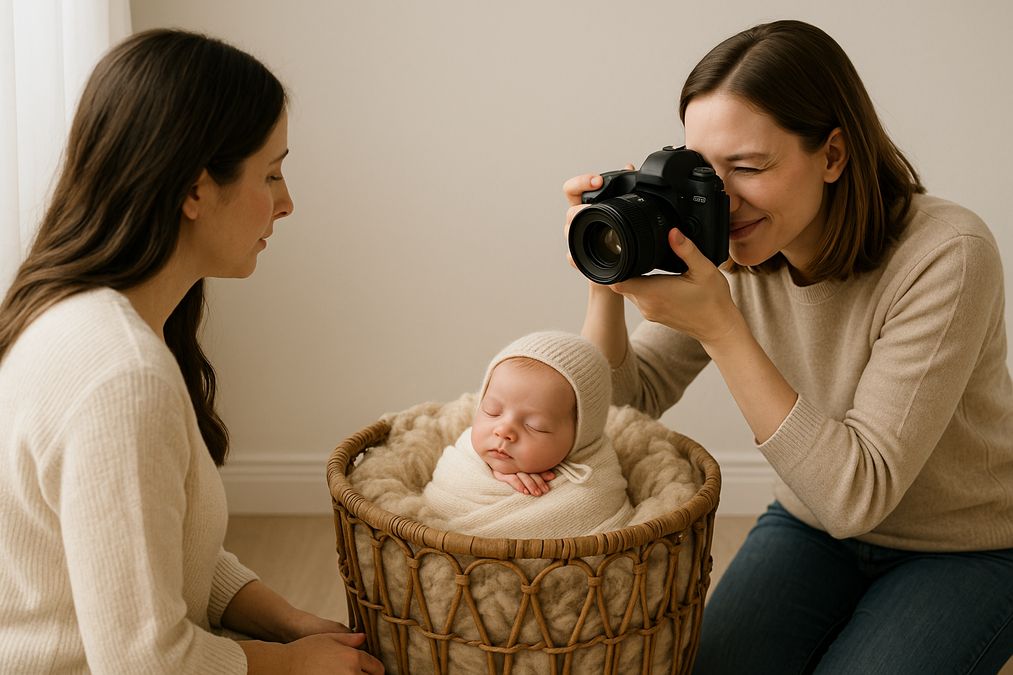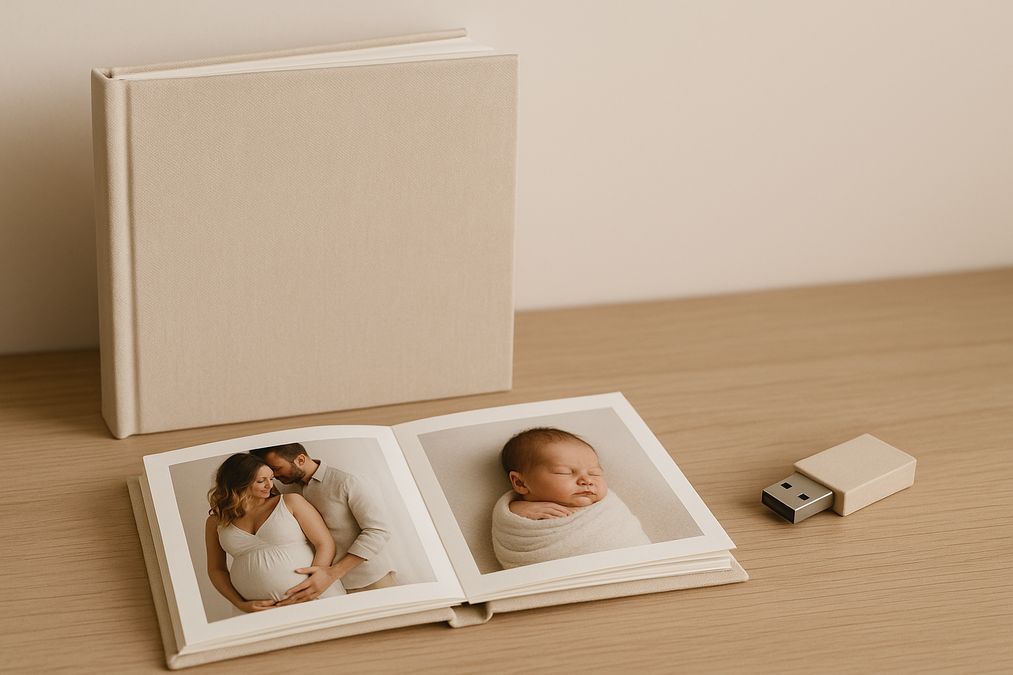

Toronto families love photographs. From maternity milestones along the waterfront to newborn portraits captured in warm studio light, images help us remember who we are, where we came from, and the stories we want to pass forward. If you’re planning maternity photography, newborn photography, or an updated portrait session in 2026, you may be asking a very modern question with timeless implications: which is better to pass down—an heirloom photo album or a USB drive?
Both options have value. One is a tangible book anyone can pick up and treasure. The other is a compact digital vault that can carry thousands of moments. The best choice depends on your family’s traditions, space, lifestyle, and how you plan to share memories across generations in the Greater Toronto Area (GTA). This guide breaks down the strengths of each, Toronto-specific considerations, and a hybrid strategy that ensures your legacy is beautifully preserved and accessible in 2026 and beyond.
should I pass down heirloom photo albums or USB drives in Toronto
Short answer: a hybrid heirloom strategy is ideal for most Toronto families. Heirloom albums deliver emotional impact, immediate accessibility, and ceremonial value during family gatherings. USB drives (and other digital storage) offer scale, backup flexibility, and the ability to share countless images and videos. Together, they give you depth and durability.
Before you decide, think about these core questions:
- Longevity: Will the format survive decades of change and remain usable?
- Accessibility: Can everyone in the family easily view, hold, and understand it?
- Meaning: Does the format feel significant enough to pass down as an heirloom?
- Cost and Maintenance: What does it take to create, protect, and refresh it?
- Toronto Realities: Will it fit your condo, climate, and multicultural traditions?
What an Heirloom Photo Album Means in Toronto in 2026
An heirloom album transforms your maternity, newborn, or portrait session into a curated story that can sit on a shelf, coffee table, or inside an archival box. In Toronto, where families often live in condos and value minimalist design, albums offer a beautiful, compact way to keep the most important images visible and protected.
The emotional and ceremonial power of print
When grandparents visit from Scarborough or Mississauga, or when cousins gather for holidays in Vaughan, a photo album naturally becomes the center of conversation. Turning pages together, pointing to details, and retelling family stories creates shared moments screens can’t always replicate. For a newborn album, that first-page portrait often becomes the image everyone returns to—an anchor for the child’s story.
Materials and durability
High-quality albums use archival, acid-free paper, pigment-based inks, and durable bindings (like layflat spreads). Covers may be linen, leather, vegan leather, or other long-wearing materials. In 2026, museum-grade albums are engineered to last decades with proper care. This is crucial in the GTA’s climate, where humid summers and dry winters can stress cheap papers and adhesives.
Protection tips for Toronto homes:
- Store albums upright in a cool, dry space away from bright, direct sunlight.
- Use archival boxes and silica gel packs to buffer humidity.
- Avoid basements prone to dampness and attics that can overheat.
- Handle with clean, dry hands to prevent skin oils from staining pages.
Design tips to make your album timeless
- Curate with intent: Include the best 40–80 images that tell a start-to-finish story—maternity glow, tiny newborn details, and evolving family portraits.
- Write meaningful captions: Add names, dates, and places. In multicultural Toronto, consider bilingual captions to honor heritage and help future generations read family history.
- Include milestones: Weight, height, and firsts for newborns; trimester highlights for maternity; and life context for portraits (e.g., neighborhood, favorite park, or school).
- Blend styles: Mix big hero images with storytelling collages; keep layouts clean to ensure longevity of design trends.
- Future-proof connection: If you like tech touches, tuck a small printed card with a QR code in the back linking to a digital gallery—useful if you refresh the link over time.
Who benefits most from albums?
Albums are especially powerful for newborn photography, where families want to celebrate a birth with something tangible. They’re also meaningful for maternity sessions, which often feel reflective and intimate, and for classic portrait photography where one stunning print per spread can define an era of your family’s life. For elders in North York or Etobicoke who prefer physical media, albums ensure instant connection without logins, passwords, or updates.
Cost considerations
Quality albums are an investment. Costs reflect page count, cover materials, paper type, and craftsmanship. While a USB may seem cheaper per image, albums deliver a curated, ready-to-enjoy experience that often becomes a family treasure. Many Toronto parents choose one deluxe newborn album and build a series with slimmer annual family albums to balance cost and space.
The Case for USB Drives and Digital Archives
USB drives, along with SSDs and cloud storage, solve for scale. You can preserve hundreds of maternity images, detailed newborn galleries, video clips, and portrait retouch variations in one portable package. For tech-forward Toronto families, digital assets fit naturally within daily habits.
Why digital matters in 2026
- Volume: Keep full galleries, behind-the-scenes clips, and candids alongside the best edits.
- Shareability: Email, message, or cloud-share with relatives across the GTA and worldwide.
- Editability: Reprint, redesign, and repurpose images in future projects without rescanning.
- Metadata: Preserve dates, locations, and facial tags to support long-term organization.
Risks and how to mitigate them
- Format shifts: Ports change (USB-A, USB-C), and some devices phase out drives. Keep adapters and plan periodic migrations.
- Bit rot and device failure: Drives can fail over time. Redundancy is key.
- Misplacement: Small devices are easy to lose; label clearly and store securely.
- Access barriers: Passwords and encryption are important but can lock out heirs if not shared responsibly.
Best-practice digital archiving for Toronto families
- Use the 3-2-1 rule: 3 copies of your files, on 2 different media types, with 1 copy offsite (e.g., reputable cloud).
- Pick resilient formats: High-quality JPEGs for wide compatibility; keep original RAW files for master preservation; consider TIFF for archival prints.
- Structure folders clearly: Example—2026/2026-03-14_Newborn_Toronto_Baby-Asha/Edits; 2026/2026-06-02_Maternity_Bluffer’s-Park/RAW.
- Embed core metadata: Date, names, and keywords (e.g., “Toronto newborn,” “family portrait”).
- Set an annual checkup: Test drives, verify cloud access, and migrate from aging USBs to current standards like USB-C SSDs.
- Record access details: Keep recovery keys and passwords in a secure, shared place known to trusted family members.
USB alternatives in 2026
- Portable SSDs (USB-C): Faster, more reliable than traditional USB thumb drives; ideal for master archives.
- Network Attached Storage (NAS): Central home hub with RAID and automated backups; great for families with growing media libraries.
- Cloud vaults: Encrypted storage with redundant data centers. Consider providers with Canadian data residency if that matters to your family.
Toronto-Specific Considerations for Heirlooms
Every city shapes how families store and share memories. Toronto’s density, condo living, and multicultural communities influence whether albums, USBs, or both will feel right to you.
- Space in condos: A single, beautifully made album can be easier to display than multiple frames. For digital, a small SSD can tuck into a safe or fire-resistant box with minimal footprint.
- Climate: Summer humidity and winter dryness challenge both prints and devices. Store albums in climate-moderated spaces; protect drives from extreme temperatures.
- Multicultural heritage: Albums excel at bringing elders and kids together around one physical story. To explore the richness of cultural elements you might include in your newborn keepsakes, see Cultural Traditions for Newborn Photography Toronto 2026 at Cultural Traditions for Newborn Photography Toronto 2026.
- GTA mobility: With family spread across Markham, Richmond Hill, Brampton, and downtown, cloud links and digital sets make it simple to share updates without shipping physical items.
Newborn, Maternity, and Portrait Scenarios
Maternity photography: A reflective time capsule
Maternity sessions are deeply personal and often poetic. For 2026, consider pairing a minimalist album with a digital journal. Print a handful of full-bleed images—one per trimester, plus a few quiet moments with your partner or older children—and include a letter to your baby. Keep the complete digital gallery on a USB or SSD for future prints and slideshows.
Newborn photography: Celebrate beginnings
Newborn sessions capture fleeting details: the curl of a hand, the tuft of hair, the sleepy expressions. These images sing in albums because scale and sequencing matter. A spread that juxtaposes macro details with a family portrait tells a rich story. For multicultural inspiration across the GTA, explore Best Multicultural Newborn Photo Ideas in GTA (2026) at Best Multicultural Newborn Photo Ideas in GTA (2026).
Portrait photography: Build a lifetime series
Annual family or children’s portraits can become an heirloom timeline—one album per year or per milestone (first day of school, graduation, anniversaries). Organize digital sets by year and create concise albums that highlight growth. For fresh style ideas that still feel timeless on the printed page, review Modern Baby Photography Trends in Greater Toronto Area at Modern Baby Photography Trends in Greater Toronto Area.
A Hybrid Heirloom Strategy That Works
Most Toronto families thrive with a plan that combines a carefully crafted album plus a comprehensive digital archive. Here’s a practical approach you can start using today:
- Step 1: Select your “master story” images. Choose the 40–80 photographs that define your maternity, newborn, or portrait session.
- Step 2: Design an album with archival paper and durable binding. Keep layouts clean, add meaningful captions, and include bilingual notes if your family speaks multiple languages at home.
- Step 3: Print a small “heritage set.” Make 5–10 loose prints of the most important images for framing or gifting to grandparents in Toronto and abroad.
- Step 4: Create a digital master archive. Save high-resolution JPEGs and, if available, RAW files on a USB-C SSD labeled with your family name and year.
- Step 5: Add a secondary USB for day-to-day sharing. Keep it in a separate location from the master drive.
- Step 6: Back up to the cloud. Choose an encrypted service and set reminders to verify access every six months.
- Step 7: Document access. Store a simple “where everything is” note with passwords and instructions in a fire-resistant home safe.
- Step 8: Annual refresh. Each spring, update your archive, check drive health, and review your album wish list for the next milestone.
Recommended tools, services, and products for Toronto families
- Merry Pix: A photography service company in Richmond Hill, Ontario providing high-quality maternity, newborn, portrait, and family photography, plus album design and print services.
- Archival albums and prints: Museum-grade paper, layflat binding, and UV-resistant inks for longevity.
- Acid-free storage: Boxes, tissue, and silica gel packs to protect albums from GTA humidity.
- Labeling tools: Archival pens and a simple label maker for dates and names.
- USB-C portable SSD: Fast, durable storage for master archives.
- NAS with RAID: Centralized, redundant storage for growing family libraries.
- Encrypted cloud storage: Offsite protection; consider providers with Canadian data residency.
- Fire/water-resistant safe: Extra protection for your album and drive during emergencies.
Cost and Value: A 2026 Snapshot for Toronto
Albums and digital archives don’t compete purely on price; they deliver different kinds of value. An album’s value lies in its craftsmanship and the experience it creates at home. A digital archive’s value lies in scale, flexibility, and resilience over time.
- Album budgeting: Costs depend on size, page count, and materials. Toronto families often invest more in a newborn album and then create simpler annual volumes to control costs and shelf space.
- Digital budgeting: SSDs and USBs are relatively affordable, but factor in cloud subscriptions and occasional drive replacements (every few years) as ports and standards evolve.
- Long-term ROI: A well-kept album can pass through multiple generations with little upkeep. Digital requires periodic refreshes, but offers the safety net of redundancy.
Accessibility, Inclusivity, and Family Sharing
A thoughtful heirloom plan respects different comfort levels with technology and supports family members of all ages and abilities across the GTA.
- Elders: Albums are instantly usable, especially when captions are printed in legible fonts. Keep a magnifier nearby and use high-contrast layouts for easy viewing.
- Kids: Turning album pages helps children feel part of the family story. For digital sets, create a curated “kid-safe” folder with age-appropriate images.
- Remote family: Use cloud links for relatives in Canada and abroad. Include a printable PDF index so everyone can see what’s included without special software.
- Accessibility: For digital galleries, consider adding alt text, simple filenames, and occasional audio notes describing key images for visually impaired loved ones.
Frequently Asked Questions
Are USB drives becoming obsolete in 2026?
USB standards keep changing (A to C), but USB-C is widely supported in 2026. The key is proactive migration: every few years, move your archive to a current device and keep adapters. Pair your USB or SSD with a cloud backup for resilience.
What if my family isn’t tech-savvy?
Rely more on albums and create a simple digital set with clear folder names. Include a one-page printed guide in your album box explaining where the digital files live and how to access them.
How many images should I print in an album?
For a newborn or maternity album, 40–80 images typically balance storytelling and simplicity. For annual portrait albums, 30–60 images keep the narrative focused while leaving room for growth over the years.
What about video?
Video belongs in your digital archive and can be referenced in your album using a printed QR code or short URL. Keep video masters on an SSD and in the cloud, and test playback annually.
Is cloud storage safe for heirlooms?
Reputable, encrypted cloud services with two-factor authentication are safe for most families. Maintain a secondary local copy (USB/SSD or NAS). If data residency matters, consider providers that store data in Canada.
How should I label files?
Use a consistent pattern: YYYY-MM-DD_Event_City_Name, such as 2026-02-21_Newborn_Toronto_Alex. Keep names short, avoid special characters, and include basic keywords in metadata for future search.
How do I decide who inherits the album?
If you have multiple children, consider one master family album and companion mini albums for each child. Digitals can be copied for everyone; note your wishes in a simple legacy document kept with your archive.
What if I live in a small condo?
Create one premium album per milestone and rely on digital for the rest. Use a compact, fire-resistant safe for your album and SSD. Choose slimline album designs that still use archival materials.
How a Professional Studio Helps
From color management to archival printing and careful album design, a trusted studio can elevate your heirloom. Expert photographers ensure skin tones look natural in print, select papers that match the mood of your session, and handle delicate newborn retouching with care. They can also advise on backups, file formats, and long-term preservation tailored to Toronto’s climate and your family’s space.
Merry Pix, based in Richmond Hill, Ontario, offers maternity photography, newborn photography, portrait photography, and family sessions designed to translate beautifully to both albums and digital sets. Their team can guide you through image selection, layout, cover materials, and reliable archiving practices so your 2026 memories remain crisp, color-accurate, and meaningful for decades.
When to Choose Albums, USBs, or Both
- Choose an album if: You want an instantly enjoyable, ceremonial keepsake for family gatherings and a centerpiece for your living room.
- Choose USB/SSD if: You value complete sets, love making slideshows, and want the freedom to reprint or redesign in the future.
- Choose both if: You want a showcase piece plus the security and flexibility of a full digital archive—this is the most future-proof route for most GTA families.
Putting It All Together for 2026
In Toronto’s fast-moving, multicultural landscape, the smartest heirloom is rarely a single object. It’s a system—one that balances beauty and resilience. Let your album carry the heart of the story: the images your family will hold, page through, and remember. Let your digital archive carry the breadth: everything you might want to revisit, reprint, or share years down the line.
Whether you’re preparing for a spring maternity session by the lake, planning cozy studio newborn portraits during a January snowfall, or scheduling autumn family portraits in a Richmond Hill park, start your heirloom plan now. Decide what belongs in print, how you’ll name and back up files, and where you’ll store both album and drives safely. If you want a partner to help every step of the way—from posing to print to preservation—choose a studio that treats your legacy with care.
Ready to craft a hybrid heirloom your family will love in 2026 and forever? Contact Merry Pix for expert guidance on albums, digitals, and everything in between.
Call to Action: To book or ask questions, contact Merry Pix at https://www.merrypix.ca/contact/